Best AI Video Generators for Storytelling (2026, Honest Comparison)

Last reviewed Nov 2026. Descriptions of LTX Studio, Runway, Higgsfield and HeyGen are taken from their public product pages and can change. This is not a ranked list, and it does not quote prices. Check each site before you buy.
People searching for the best AI video generator for storytelling are usually trying to finish a story, not to win a single clip. The tools below can all make a moving image. They do not all ask the same question before they do it. Some start from a script and a board. Some start from a camera move. One of them starts from a person who has to say the words on camera.
TikFilmer is in the list because this site makes it, and the note on it is limited to what the product actually does: a story or a pasted script is split into narrative segments, and you choose a shot plan per segment, including a slower plan called Breathing room. Read the other sections against their own pages, which are linked. A wider LTX Studio alternative comparison already lives on this site if that is the pair you are deciding between.
Prices are outside this article on purpose. A separate guide, Best AI story-to-movie tools in 2026, compares LTX Studio, Runway, Kling, Google Flow, LongStories.ai, InVideo AI and TikFilmer using each official page as of 2026-11-05, including list prices. This page stays on storytelling fit, and it includes Higgsfield and HeyGen instead of Kling, Google Flow, LongStories.ai and InVideo AI.
What the best AI video generator for storytelling still has to handle
A clip tool's job ends when the shot looks right. A story's job ends when the next shot is a consequence of this one. That gap is where these products differ, and it is worth naming before the tour.
- A unit bigger than a clip. Scenes, segments, or shots in a fixed order. Without that unit, you are collecting takes.
- A way through time. Some beats are short. Some have to hold. If every generation is the same length, the story has one heartbeat.
- The same people and places. A character who changes face between the setup and the ending has left the story, whatever the pixels are doing.
- An edit, or a handoff to one. The film is the order of the shots, not the folder they landed in.
Hold those four against each product. A tool can be excellent at camera motion and still leave the third and fourth to you. That is a fit, not a failure, as long as you walked in knowing it.
LTX Studio
LTX Studio describes itself as a creative suite for filmmakers, advertisers and creative teams, and as a path from concept to a cut. The public pages say you can start from a script, a concept, an image or a video. "From Script" is listed as its own start: upload a script and generate scenes and storyboards.
The storyboard generator page says a concept or a script is broken into scenes and shots you review before generation, and that characters, objects and locations are extracted as Elements so they can recur. The studio page also describes camera movement, keyframes and visual references, preset styles, and a timeline with sound design. Their help center calls the platform an all-in-one for scripting, storyboarding, image and video generation, timeline editing and sound.
Read that as a production workspace. The script becomes a board, the board becomes shots, the shots sit on a timeline. If you are choosing between that workspace and TikFilmer's guided story pass, use the comparison page linked above rather than this paragraph. It includes plan details checked against LTX's own pricing page in November 2026, and those numbers move.
Runway
Runway's product page presents an image and video generation toolkit: several models in one place, editing tools, storyboarding and animatics among the things you can make, and a multi-shot tool described as writing a prompt and getting a video with multiple shots. It also describes an agent for end-to-end video from a conversation. The page is aimed at generation and control of footage.
On consistency, Runway's Gen-4 research post says the model can keep characters, locations and objects coherent across scenes from visual references. That post is about Gen-4. Later models exist, so read it as history, not as today's spec sheet.
For anything longer than a clip, Runway's own guide, How to create longer videos and films, is the useful page. It says generated clips are shorter segments you edit into a longer film, after a treatment and a storyboard, in their Timeline Studio or in an editor you already use. The planning stays with you. Runway is a strong place to make the shots.
Higgsfield
Higgsfield's public emphasis is the camera. The camera controls page is a library of named moves, from dollies and cranes to handheld and orbits. That is a real craft, and it is the right tool when the problem is "this shot should move like this."
Cinema Studio goes further than a single move. The page says you set genre, camera, pacing and cast from one panel and get a finished, edited scene rather than a raw clip. It describes genre choices, camera moves you can stack, and a pacing control called Montage Pacing: Chaotic, Dynamic, Calm or Single Shot, with the scene arriving already assembled. It also describes AI Cast for keeping a character's identity across angles, and an assistant that can break a script into shots. Their pricing, the page says, is in credits. See their pricing page for current tiers. This note does not repeat them.
Fair reading: Higgsfield plans the rhythm of a scene as a preset, and it cares about how the camera behaves. Choosing a shot plan yourself on each segment of a longer story puts that choice in your hands instead. One strongly directed scene matches their page. Several beats that must not share a tempo is the TikFilmer section below. A dated side-by-side, including when to stay with Higgsfield, is the Higgsfield alternative page.
HeyGen, when the story is a talking head
HeyGen belongs in a storytelling comparison only for a specific story: a person speaking the script to camera. There is no HeyGen page on this site, on purpose. Avatar video and a scene-by-scene film are different intents, and pretending otherwise wastes the reader's afternoon.
HeyGen's avatar page says the product turns a script into a talking-head video, with a library it describes as 1,100+ avatars, plus avatars from a photo or from footage of a real person. You paste a script, pick a presenter and a voice, and the page describes lip-sync, captions, and translation across languages. Their talking-head tool page says you can produce that video without storyboarding. The jobs they list are explainers, lessons, ads and outreach.
Use it when the story is the delivery of words by a face: a founder update, a lesson, a host who introduces something else. Do not use this paragraph as a claim that HeyGen boards a drama, runs a chase, or keeps a cast moving through locations. Their own pages are not selling that. If the film needs rooms, entrances and a cut that changes pace, look at the other four.
TikFilmer, and segment-level pacing
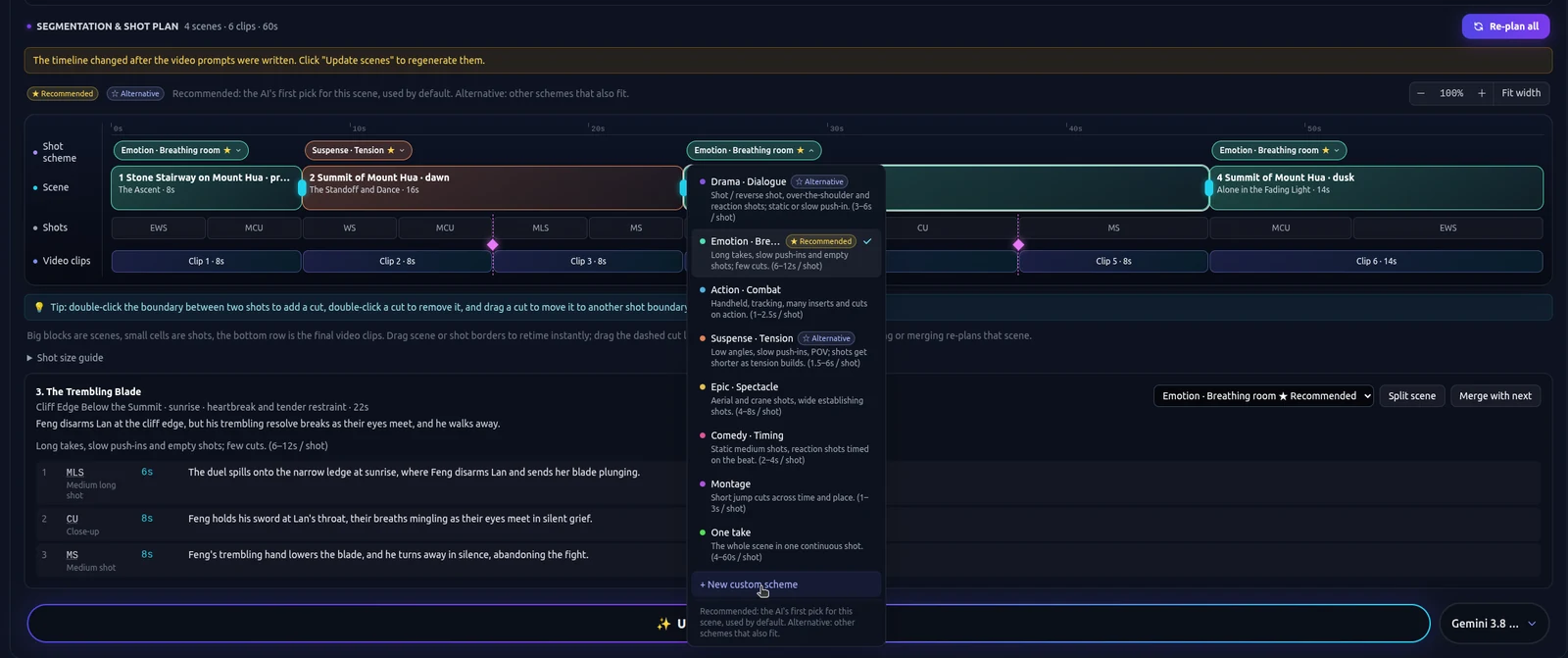
TikFilmer turns a story, or a screenplay you paste, into a film by splitting it into narrative segments. You then choose a shot plan for each segment. The plans are narrative styles. Dialogue, Action, Suspense and Breathing room are among the names. A confrontation can take a faster plan. The beat after it can take Breathing room, so the film is allowed to slow down where the story slows down.
That is the whole differentiator this page will claim. It is not a claim about image quality, speed, or who has the larger community. Characters, locations and props keep reference images so later segments can reuse them. A generated story defaults to about a minute and a half unless you ask for another length. Pasted text is used as written. New accounts start with 350 free credits.
The story to movie page is the full pass. The AI drama generator page is the same pass aimed at a short drama, where the pause is doing as much work as the line. If you are still deciding whether the piece is a drama or a broader short, the AI short film how-to separates those shapes.
How to choose the best AI video generator for storytelling
Match the job you actually have this week. A single "best" collapses five different jobs into a trophy, and the trophy will be wrong for someone on this page.
| If the job is | Start with |
|---|---|
| A script that should become scenes, a board and a timeline, including for a team | LTX Studio, then read their current pages |
| Shots, consistency from references, and an edit of shorter clips into a longer piece | Runway, using their longer-film guide |
| Camera moves, genre and a pacing preset on a cinematic scene | Higgsfield Cinema Studio |
| A presenter speaking a script to camera | HeyGen |
| A story or screenplay split into segments, with a shot plan you choose on each one | TikFilmer |
You can use more than one. A Runway shot can sit in a film you planned elsewhere. A HeyGen presenter can introduce a short you cut in another tool. If the missing piece is the plan, paste the story into TikFilmer, look at the segments, and change the shot plan on the beat that should not feel like the others. New accounts start with 350 free credits.
Try that pass in TikFilmer, or go back to the product whose page matches the row you actually need.
More articles
View all articles →
Make a Movie with AI
A first film with AI: start from a story or one sentence, keep the cast from drifting, give neighboring scenes different pacing, then reach a rough cut with Autopilot or Cards and Canvas.

Turn a Family Story Into a Movie With AI
A birthday, an anniversary, or a short memoir: paste the words, plan the beats, then take a first cut with Autopilot or repair one beat in Cards and Canvas.
A Cinematic AI Film Workflow
Rhythm for an AI short: story beats, coverage, and a different shot plan for a tense segment than for one that should hold. The beginner how-to is a separate page.
How to Make an AI Movie
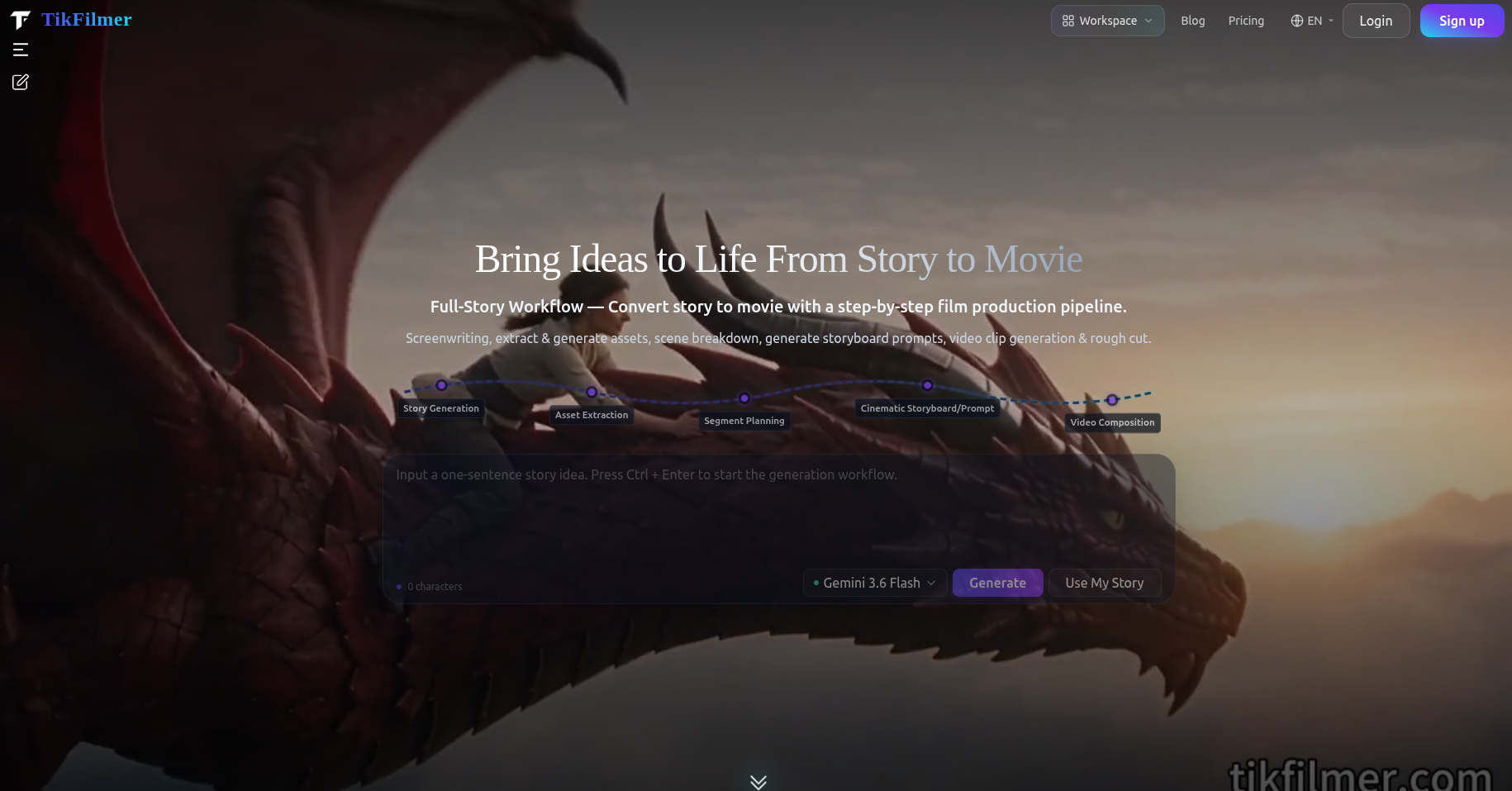
The order of work for an AI movie: a story you paste or draft, assets, a shot plan, clips and a rough cut, plus when Autopilot or Cards and Canvas is the better way through it.