AI Drama Generator: Turn a Story Into a Short Drama, Scene by Scene
An AI drama generator is for a short drama whose temperature has to change, and whose story has to reach an ending. Paste a story or a screenplay, or start from a premise. TikFilmer splits that text into narrative segments, and you choose a shot plan for each one. Lock the cast first so the face and the costume can hold from the opening to the last beat.
Start free in TikFilmer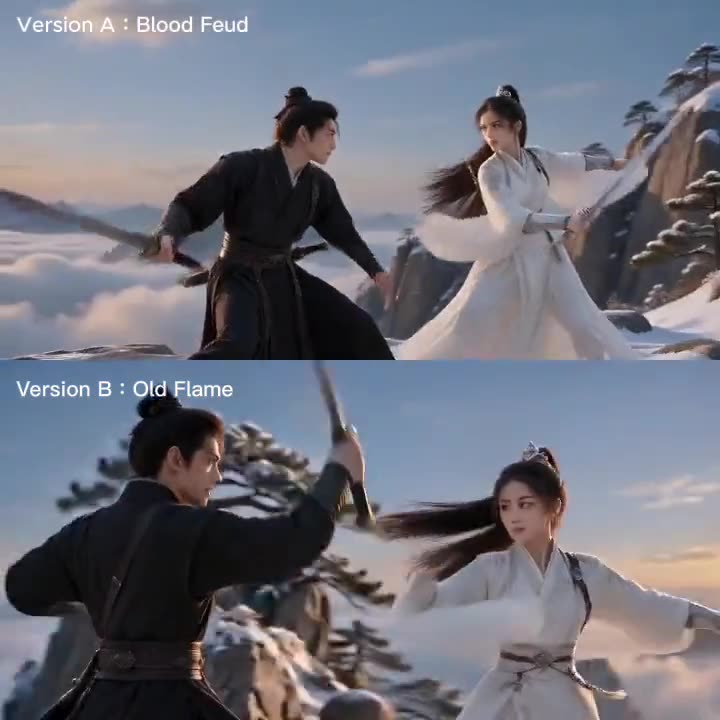
What an AI drama generator does
It takes a dramatic story and turns the beats into a plan you can shoot: who is in the scene, where the story turns, how each turn should be covered, and how the plot is allowed to finish. The clips come after that plan.
01
Bring the dramatic text
Paste the story or the script, or type a premise. A generated story runs about a minute and a half unless you ask for another length. Text you paste is used as written, including scene headings and dialogue. If you already know the ending, put it on the page so the last segment has something to land on.
02
Lock the cast
Characters, locations and props are pulled out of the text, each with a reference image. Later segments reuse those images, so a face is not redesigned just because the next clip was rendered on its own. The asset library is shared by every episode in the project.
03
Assign a plan to each beat
The story is split into narrative segments. You pick a shot plan per segment. Named plans include Drama · Dialogue, Emotion · Breathing room, Action · Combat, Suspense · Tension, Short drama · Fast pace and Short drama · Twist & face-off. Faster coverage for the argument. A slower plan for the beat that has to sit still. A short-drama plan when the scene needs a hook and a tight vertical rhythm.
04
Generate, then cut the story to an ending
Each segment is generated from the plan you chose. You review the clips and assemble the drama, including the last beat. A follow-up episode can reuse the same library so the cast does not reset. New accounts start with 350 free credits. Autopilot can run a first pass after you confirm a credit and time estimate; it does not run the upscaler.
Vertical short-drama genres you can brief
These are ways to brief the same workflow, not a library of premade genre templates. TikFilmer does not ship a ready-made werewolf, CEO, heiress or dragon-king template. You paste the story, lock the people, and pick a shot plan.
Werewolf / fated-mate romance
A fated-mate story usually turns on a bond that is named, denied, then tested in public. Write the bond, the refusal and the ending you actually want. Keep one reference image for the lead in each important look, then give the reveal Short drama · Twist & face-off and the quieter beat after it Breathing room.
Billionaire CEO romance
A CEO story often lives in one office, one apartment and a public room. Name those locations so they enter the library and stay put. The contract, the slight and the reversal can take Fast pace or Twist & face-off. The talk after it can take Dialogue. The face at the desk and the face at the door should be the same person.
Secret heiress reveal
A secret-heiress plot is a hidden identity that has to hold until the room finds out. Lock the lead's everyday look and the look used at the reveal, and reuse both. The public confrontation is a natural Twist & face-off segment. Write the aftermath, so the story does not stop on the gasp.
Mythic / dragon-king adventure
A mythic or dragon-king story needs a stable world as much as a stable face: one coast, one court, one creature design. Put those in the library before you generate the first voyage. Epic or Fast pace can cover the spectacle. Dialogue or Breathing room can cover the vow. Carry the quest to a last scene, even a short one.
What you actually control
Only controls that exist in TikFilmer today.
One face across the cut
Each character, location and prop keeps a reference image. Later segments and later episodes in the same project reuse those images. The Director Agent also writes continuity notes from one segment to the next.
A shot plan per beat, including short-drama rhythm
Named plans include Dialogue, Breathing room, Action, Suspense, Epic, Comedy, Montage, One take, Short drama · Fast pace and Short drama · Twist & face-off, or a scheme you write yourself. Fast pace is the vertical short-drama rhythm: short shots, punch-in close-ups, quick reactions, a hook every few seconds.
A vertical frame when you need one
Aspect ratio is a project setting. One of the options is labeled Vertical drama · shorts (9:16). Set it before you generate reference images and video if the drama is meant for a phone screen. Already generated images and clips keep the ratio they were made with.
Episodes that share a library
A follow-up episode is another story in the same world. The asset library is shared by every episode of the project, so a change to a character shows up in all of them. That is how you continue a short drama without rebuilding the cast.
Autopilot after an estimate
Turn on Autopilot (Fully automatic) next to the homepage composer. TikFilmer shows credits and time first. After you confirm, it can run story, assets, the shot plan, video and a rough cut. Keep the page open. You can pause and resume. Autopilot does not run the upscaler.
Why an AI drama generator needs pacing, not just clips
A drama is a change in pressure. Someone wants something, the other person refuses, and the room is different afterward. If every clip is forced to the same length, the refusal and the silence get the same treatment, and the point of the scene never lands.
Pacing is the decision to stay or to cut. A tense beat wants shorter shots: the hand, the line, the look away. A slow beat wants the camera to hold. On a drama, that decision belongs on the segment, before any model runs.
How TikFilmer splits your story into narrative segments
Take two sisters in a kitchen. One has found a letter. The story has turns: she reads, she asks where it came from, the answer is a lie, she stands up, and then neither of them knows what to say.
TikFilmer splits the text on those turns, into segments, instead of chopping it into equal seconds. A scene heading in a pasted script is a strong hint about a boundary. A long stretch can still break where the turn is, and you can edit the split before you generate. The silence at the end can be its own segment even when the page has one line. Agree the beats first. Video is the later pass.
Pick a shot plan per segment, including short-drama plans
The shot plan is the pacing choice for that one segment. Named plans include Drama · Dialogue, Action · Combat, Suspense · Tension and Emotion · Breathing room, plus two built for vertical short drama: Short drama · Fast pace, and Short drama · Twist & face-off. The confrontation can take Action, Suspense or Twist & face-off. The segment after it can take Breathing room, so the quiet is allowed to last.
Tense, slow-burn and quick-cut are the choice those names represent, not a second row of buttons. Quick coverage when someone stands up. A slower plan when nobody knows what to say. Fast pace when the scene has to hook a phone screen every few seconds. The people and the kitchen stay the same. Only the rhythm changes. A published TikFilmer note, linked below, shows the same idea on one sword fight given two plans.
Finish the story, and keep the face consistent
Viewers of vertical short drama often ask for two things at once: an ending, and a face that does not drift. Third-party audience and chart write-ups, including EaseReel, GASP and Animatic, keep coming back to the same genres — werewolf and fated-mate romance, billionaire CEO stories, secret-heiress reveals, mythic or dragon-king plots — and to unfinished or rushed endings, plus faces and voices that slip. Those are their reports, not TikFilmer measurements.
TikFilmer can help you carry a plot to a last scene, and it can keep a face, a costume and a location stable through reference images and continuity notes. It does not claim a dedicated voice-lock tool. If you add a voice-over, you upload it on the timeline. Write the ending you want, including a second episode in the same project if the first one is only a hook. Lock the references before you generate the argument. If a face still drifts, fix the reference. The guide linked below is about that problem across segments.
FAQ
What does an AI drama generator give me?↓
A story split into narrative segments, a shot plan you choose for each segment, and the clips from that plan. You assemble those clips into the short drama, including the last beat. It is the story workflow, used for a dramatic scene rather than a single loose clip.
Can I paste a script I already wrote?↓
Yes. Paste prose, a screenplay or an outline, or start from one sentence. Pasted text is used as written. A generated story defaults to about 1.5 minutes unless you name another length.
How do I give a quiet scene more time than a fight?↓
Put them in different segments and pick a different shot plan for each. A faster plan, including Short drama · Fast pace or Action, covers the fight. Breathing room is the slower plan, for the beat that needs to hold. Twist & face-off is the plan for a reveal and the reactions around it.
Will the characters match from segment to segment, and can I finish a multi-episode story?↓
Each character, location and prop gets a reference image that later segments reuse. The asset library is shared by every episode in the project, so a follow-up episode can keep the same cast. TikFilmer does not claim a separate tool that locks a character's speaking voice.
Can I make the drama vertical?↓
Yes. Aspect ratio is a project setting, and one option is labeled Vertical drama · shorts (9:16). Set it before you generate references and video. Already made clips keep the ratio they were generated with.
Is this the same as an AI micro drama generator?↓
No. This page is for a short drama told scene by scene, including the common vertical genres and the pacing of a single story. The AI micro drama generator page is for ultra-short episodic vertical series and vertical ads. The two pages are linked under Related.
Can I try a drama before I pay?↓
New accounts start with 350 free credits. That is enough to run a first pass on a short scene and see the segments and the shot plans before you decide on a paid plan. Autopilot can run that pass after you confirm an estimate.
Related
- AI micro drama generator, for ultra-short episodic vertical series and ads
- Turn a story into a film, from the first sentence to a rough cut
- Start from a screenplay and carry it into segment planning
- Break a script into segments and a storyboard before video
- What an AI short film is, and how creators plan one
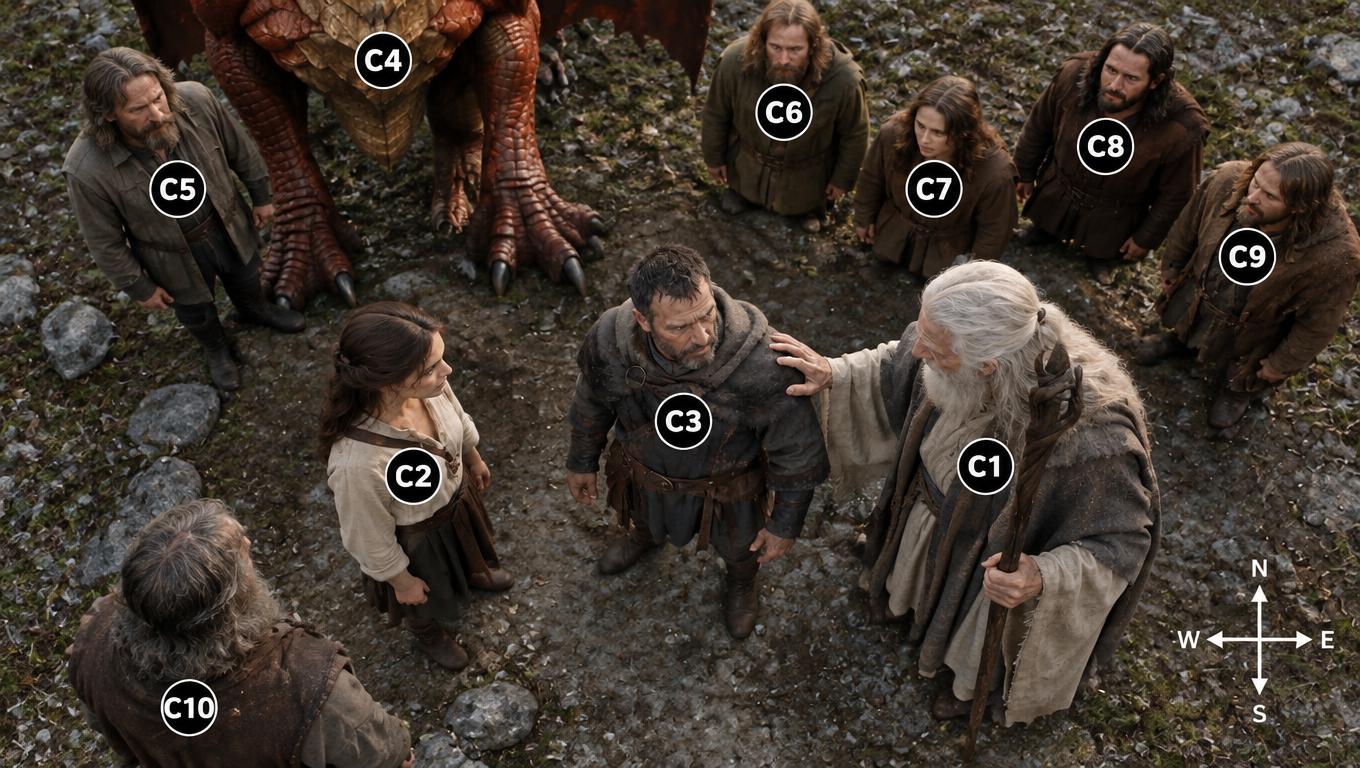
Consistency and Continuity in AI Video
AI video models can now generate impressive cinematic shots, but maintaining visual consistency and narrative continuity across independently‑produced clips remains one of the core challenges for AI filmmaking.
Cut a short drama from a story you already have
Paste the scene or the premise. Lock the cast, give the argument one shot plan and the pause another, and cut the story through to an ending.
Start free in TikFilmer